
Your residence card (ARC)
Staying longer than 90 days? You need a residence card. This page is the same for every university. Your school's guide says whether it applies for the whole group.
The order
- Before you fly
- Get your photo and papers ready.
- The day after you land
- Book a visit on HiKorea. You can't book from abroad.hikorea.go.kr ↗
- Visit day
- Go to the immigration office with your papers and the fee.
- Waiting
- Stay in Korea until the card is out.law.go.kr ↗
- Card day
- Pick it up or get it by post, whichever your office offers.
Before you fly
- When
- Within 90 days of arriving, if you stay longer than 90 days.easylaw.go.kr ↗
- Passport
- The one you entered Korea with.easylaw.go.kr ↗
- Photo
- One colour photo, 3.5 × 4.5 cm.easylaw.go.kr ↗
- Photo tip
- A plain white background is the safest choice.
- Enrolment
- A certificate of enrolment from your Korean university.easylaw.go.kr ↗
- Address
- Proof of where you live, such as your dorm confirmation or lease.easylaw.go.kr ↗
- Health certificate
- Bring one if your office asks for it.easylaw.go.kr ↗
- Fee
- The government fee for the card is ₩35,000.law.go.kr ↗
Group applications. Many universities collect these papers and apply for everyone. Check your school's guide before booking on your own. Find your school
Book your visit on HiKorea
Every immigration office works by booking. These are HiKorea's English screens.
Open HiKorea in English
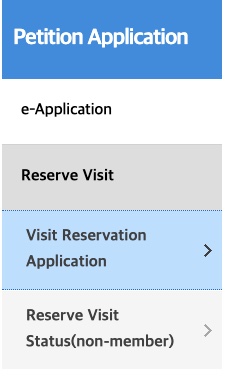
Go to hikorea.go.kr and tap ENGLISH at the top right. Then open Petition Application, Reserve Visit, Visit Reservation Application.

Book from the day after you land
HiKorea's own rule: if you are abroad, booking opens the day after you enter Korea. Same-day slots exist, but the start of term is busy, so book on your first day.

Tick the box, then choose Non-member
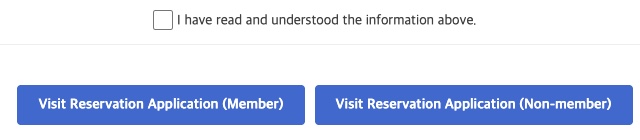
Scroll to the bottom, tick "I have read and understood the information above", then tap Visit Reservation Application (Non-member). You don't need an account.
Tap OK on the warning
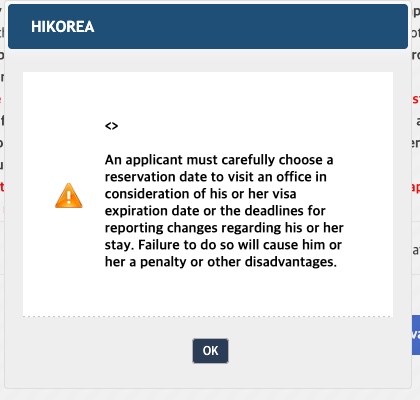
It reminds you to pick a date before your 90 days run out.
Use your visa number
Choose the third tab, Identity Verification for Visa Issuance Number. Type the number at the top right of your visa (marked 1 in HiKorea's example), your name as it is on the visa, your birth date as 8 digits (for example 20040315) and the code in the picture.
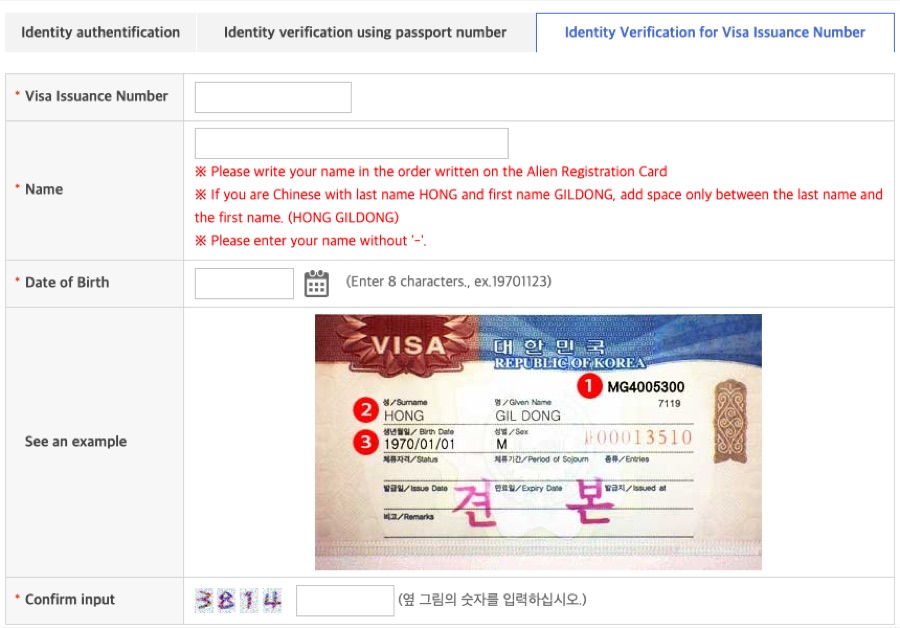
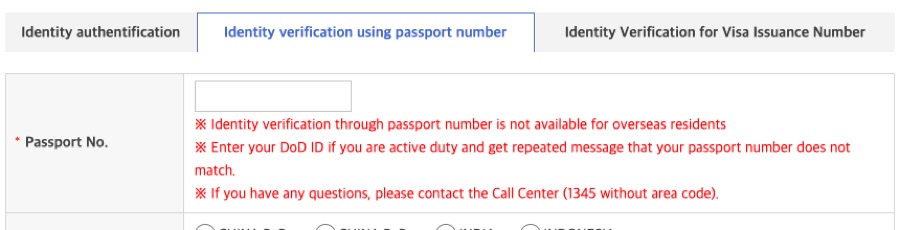
The passport tab doesn't work for people who live abroad, so use the visa tab.
Pick the office, the task and a time
Choose the office for the area you live in, choose foreigner registration as the task, then pick a date and time.
Save the receipt
Print or screenshot the reservation receipt and bring it on the day. To check or cancel later, use Reserve Visit Status (non-member). You can cancel up to one day before.
HiKorea warns that booking with someone else's passport or registration number is a crime.
While you wait
- Trips abroad
- Don't travel to other countries until your card is out. A single-entry visa works only once, so leaving early can stop you from coming back on it.law.go.kr ↗
- Changes
- Report a new address within 15 days of moving, at your local community centre or at immigration. Report a new passport to immigration within 15 days as well. Both are free.easylaw.go.kr ↗
- Immigration helpline
- Call 1345 with visa or residence card questions. It answers in English and other languages on weekdays from 9:00 to 22:00. From abroad, dial +82-2-1345.immigration.go.kr ↗
This page is made by A-CHA, an app for international students in Korea. Facts come from Korean government pages and HiKorea, and the screens were captured on 20 October 2026. Lines without a link are tips from us. Rules change, so check with your school and the linked page. Questions about this page: hyeonggu@a-cha.app